Showing posts with label YouTube. Show all posts

Friday, October 9, 2015

ViewPure - YouTube without the distraction

YouTube is a great resource for educational content. It is also a source for, shall we say, off-topic content. Often the great educational content shares the screen with a "related" video that grabs our students' attention like a flashing sign advertising free ice cream. Sometimes there are also comments posted by people demonstrating their command of the English dialect my grandmother called "sailor talk".


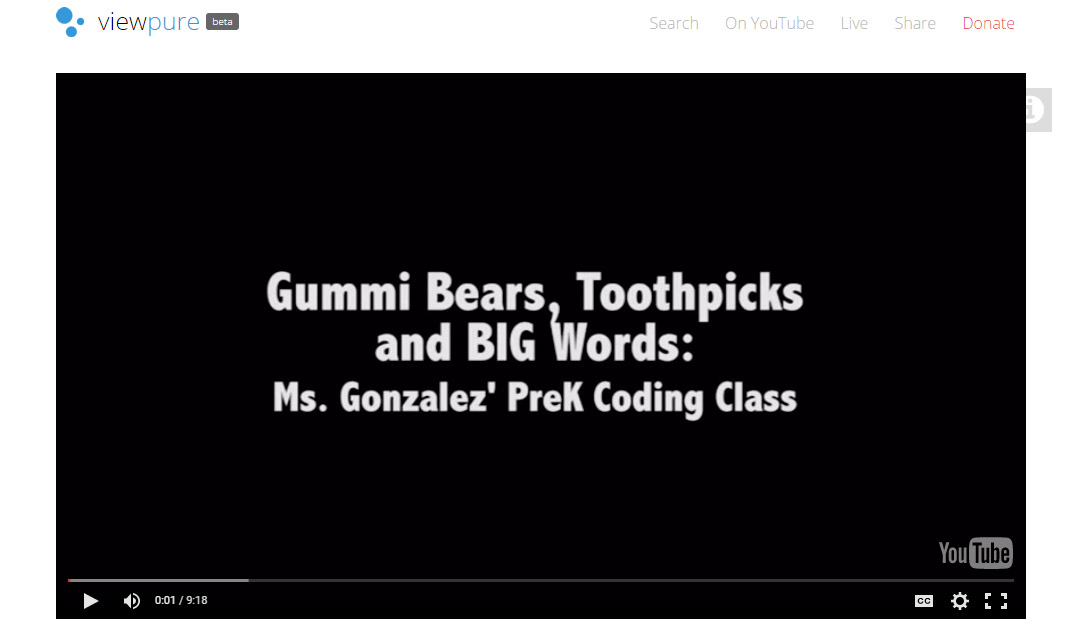
 ViewPure is a free web service that allows you to watch and project YouTube videos without seeing potentially distracting "related" videos or comments sections. Simply paste the address of the Youtube video you wish to isolate and click the Purify button.

The video is then displayed in a clean browser window free of related videos and comments section. Because there is less clutter on the page, the video gets much more screen real estate.

ViewPure also creates a reusable URL and allows for creation of a custom URL with a password. Just click on the gear icon after pasting in your YouTube video address and adjust the settings.


Too many steps? Don't want to have to remember to copy and paste? Want a quick and easy way to use ViewPure from your browser? You are in luck. 

ViewPure has a shortcut that can be added to the browser bookmark bar that will automagically open the YouTube video in the browser window in the clean ViewPure format.

If you would like additional information on using web video with your classes, please contact your Instructional Technology Specialist.


Wednesday, June 10, 2015

Safe Video Viewing In The Classroom?

Video used well in the classroom can both engage students and help the teacher express ideas in different ways. Showing the perfect instructional video with Party In Padre ads on the page, however, can be distracting and ruin the points being made.  There are some great tools that work well with YouTube that teachers can take advantage of.

SafeShare.tv is a resource that allows you to not only block the ads, but present the video on the page all by itself.

Choose the color of the border around your video, give the video a new name and even choose beginning and ending points for your safe video.  (We suggest that you don't use SafeShare's download option, but instead use KeepVid to download your YouTube video.

SafeShare.tv provides you with a URL that can be shared with students which presents the video with all of the settings you chose.

KeepVid.com is a different site that lets you download the video to your computer.  The best rule for using video with students is to plan for a busy network and use video from your computer rather than a web-streamed source.  KeepVid gives you options for downloading the video to your computer.

KeepVid provides a box to paste your YouTube link into before clicking the Download button. The result is a list of downloadable files.

The (Video Only) options are just that, videos that include no sound.  Those are actually fantastic resources for some class projects.  For example, have the students drop the video file into WeVideo and provide their own soundtrack that teaches the viewer a lesson!

We have provided an Anchor of Support that steps you through both of these online tools. Check out these Anchors:  SafeShare.tv (bit.ly/aisdsafeshare) and  KeepVid.com (bit.ly/aisdkeepvid)

How would you use these in your classroom? Do you use a different tool for sharing YouTube videos with students?  Leave a comment below to share!

Monday, October 10, 2011

Capturing YouTube

It's a nice thing, finding a great educational video clip on YouTube.  Using video to explain some educational idea you are teaching in the classroom is great, but modeling a valid use of a video-hosting site like YouTube to students is something the students don't see often.

In AISD, teachers are able to authenticate their way through the firewall and get access to the video. However, depending on the time of day and volume of network traffic, 'having' and 'using' YouTube access can be two different things. Enter KeepVid.com.

The trick to streaming video in the classroom is, well, not to stream it. Even DiscoveryStreaming will let you download the video clips. YouTube doesn't make it one-click easy, but KeepVid will let you take the URL of the clip, paste it into the URL block, and then download it in a few different formats.  Once downloaded, the video plays quickly without lag because it is already on the computer.

There are a number of ways to accomplish something like this; browser plugins, Safari resource list, etc. How do you use YouTube in the classroom?  What tips do you have that may help others?