Showing posts with label EXO App store. Show all posts

Friday, August 3, 2012

iPad Training With Science Teachers

I was asked to bring a special splash of iPad use to a group of Science teachers in AISD this Friday. The big goal for our just-under two hours together was for them to get their hands on the iPad and use it like students would use it in the classroom. Our focus will be to capture images, edit the images on the iPad, and share their work back with the teacher on a shared storage space online. The 'students' would then be able to access that same work using their laptop computer for further review or extended work.

The teachers will be playing the role of students as they try to identify the mystery trees in the school yard, research their findings via QR codes, edit their photos and post them online.  They will be using iPad apps: Skitch, DropBox, Scan, and hopefully PuppetPals.  All of the apps are free.

Teachers will be using this lesson plan outline:
https://docs.google.com/document/pub?id=1ZNefF4UMLmadCKUPoRyc4vYWRHw6bgEzt_kUDXhYZ5U


Flickr.com Creative Commons Photo Credit

Tuesday, September 27, 2011

Video Training and Tips for the Manda Pro All-in-One Desktop

With a number of schools just getting more all-in-one Manda desktop PCs, I thought it'd be good to re-share some support links. Most of these can be found on the AISD Cloud under the Hardware Training category.

"I don't get the big screen with all the circles. Could you explain it to me?"
http://austinschools.org/it/tutorial/MenuIntro.swf

"How do I add applications to the touch screen menu?"
http://austinschools.org/it/tutorial/ControlZones.swf

"Can I group the apps in the EXOPC interface in folders?"
http://austinschools.org/it/tutorial/Add_apps_folders.swf

"My computer is plugged into the network. Should I turn off the wireless connection?"
Yes, you really must do that. http://austinschools.org/it/tutorial/exo_disable_wireless.swf

"I want my Manda Pro to startup to a regular Windows desktop and not the XOPC interface."
http://www.screencast.com/t/6l2d1gzqTek

"I like the XOPC interface (the cute circle icons), but I don't want my slimy student hands touching the glass. Can I turn off the touch action on this computer?"
http://www.screencast.com/t/7BkF6bNCr3Ki

"I wish I could make my own cute circle icons for website shortcuts.  Is that possible?"
http://www.screencast.com/t/mtg4tFc6  (This is a more advanced tweak that any teacher can do, but it is a longer video with fairly specific steps.)

"I'm so proud of myself. I made some pretty EXOPC circular shortcuts!  How can I get them to another Manda Pro's XOPC's interface?"
http://www.screencast.com/t/ENhx4j9Q5f7M

"My students keep trashing my pretty arrangement and XOPC app selections. How can I quickly reset those on the computer?"
http://www.screencast.com/t/ENhx4j9Q5f7M  (Yes, it is the same video as the previous question. But it's also a nice way to back up your hard work so you only have to do it one time.)

"Can I setup my own printer?"
http://austinschools.org/it/tutorial/install_printer.swf

"I want to have all my kids view the Manda's screen.  Can I plug into a projector?"
Not without a USB video adapter. There are many varieties, but the large screen of the Manda Pro makes some adapters not very functional.  AISD Technology suggests an adapter that has the same specs as this one:
http://www.newegg.com/Product/Product.aspx?Item=N82E16815150177

Wednesday, August 24, 2011

Hot Apps for Hot Weather?

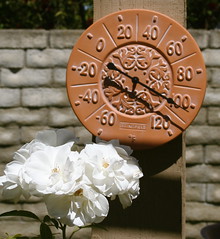
It's Hot, Hot, Hot!It's official!  We have beaten the record of 69 days in a row of 100 degree or better weather in Austin, Texas. It looks like we will have no problem adding on more days through this weekend to the current streak.

So, how can we take advantage of this authentic learning experience?  One easy way is to use the new All-in-one desktop computers (Manda Pro or 'that really wide black computer) that most campuses received last year.  Each computer comes with a new EXOPC user interface that looks like a bunch of circles on the screen. The user can click the + sign at the top left to add new apps from the AISD EXO app store.

There are many apps already in the store waiting for you to download them.  Today, you can click in the Search box and type 'weather'.  Two apps will show up, one for the Weather Underground and a children's app called Whats the Weather.  Simply click on one and then click the Download button to install.

The Weather Underground site (also found at http://wunderground.com/ ,) has forecasts for almost every inch of the United States and many international sites.  What kind of activities can you do with a live weather site?
  • A class can compare our 104 degree weather today with the weather in a desert town or mountain top town.
  • Use the Local Weather tab to find a link for historical data. Using today's weather as a base, predict what the weather would be like on another day of the year, January 22nd12001  for example.
  • Look at the Resources tab and use the Climate Change link to find information geared to an older student.  How are they graphing temperature anomalies on the map? What do the symbols represent?
  • Pull down data that you can put into a spreadsheet that shows 'change in weather'.  Create a quick graph that shows a historical perspective on rainfall in Central Texas. Can the class make inferences based on the charts?
The district has some training videos available inside the district about the new Manda Pro desktops.  Watch the video "Add Desktop Applications..." to see how easy it is to add apps from the EXO Apps store.

How can you bring the heat into your instruction while we are still breaking records? Do you have a favorite weather app or website?